# Remove a member

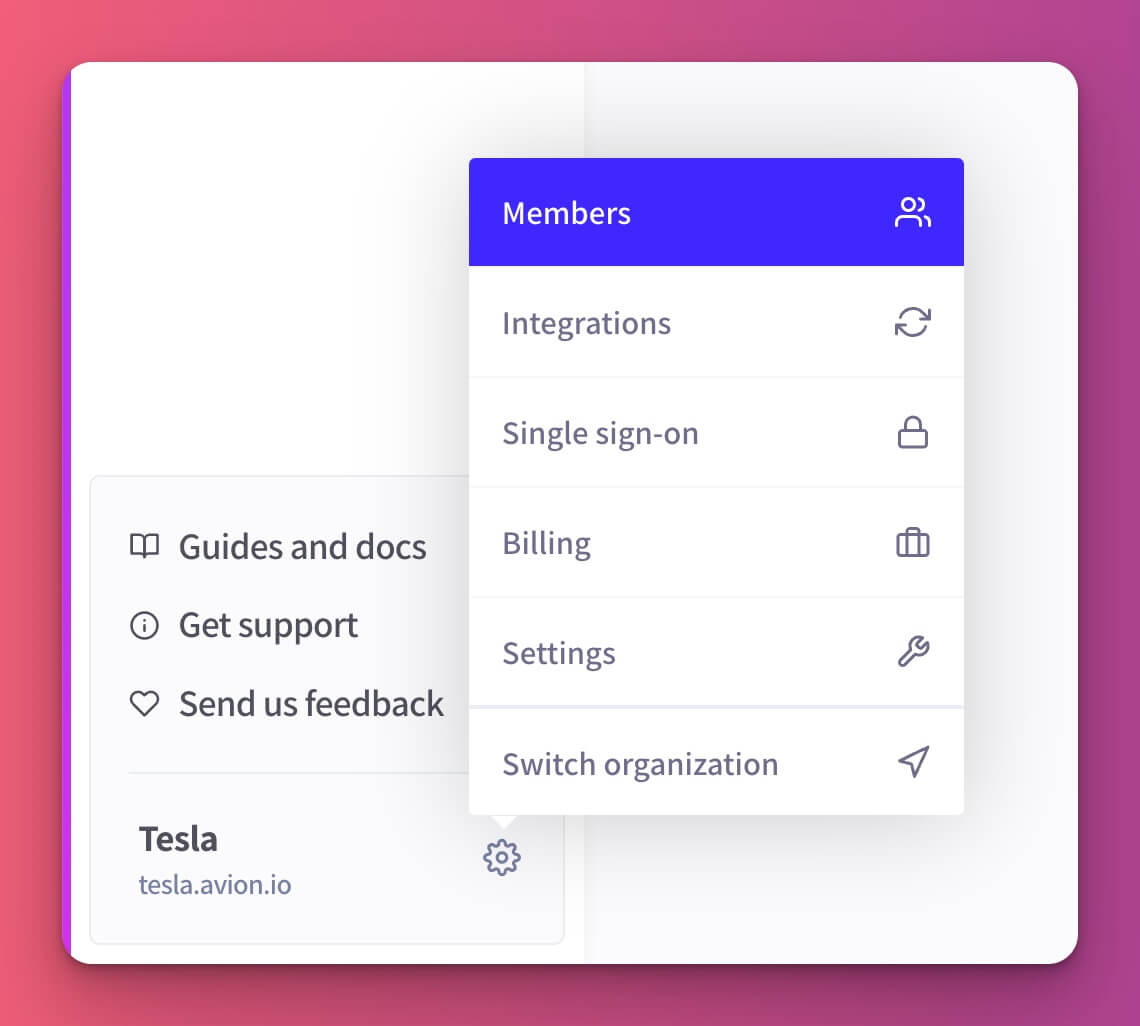
To manage your organization members, head to the **Members** page from the left hand side menu.

<figure><img src="https://3578170569-files.gitbook.io/~/files/v0/b/gitbook-x-prod.appspot.com/o/spaces%2F-LL6HR00hwiJJav4pLph%2Fuploads%2F8oJ79eNBOTG141ONt918%2Forg-members-menu.jpg?alt=media&#x26;token=165fe41e-f388-43c8-8b39-08e92dccbc27" alt=""><figcaption></figcaption></figure>

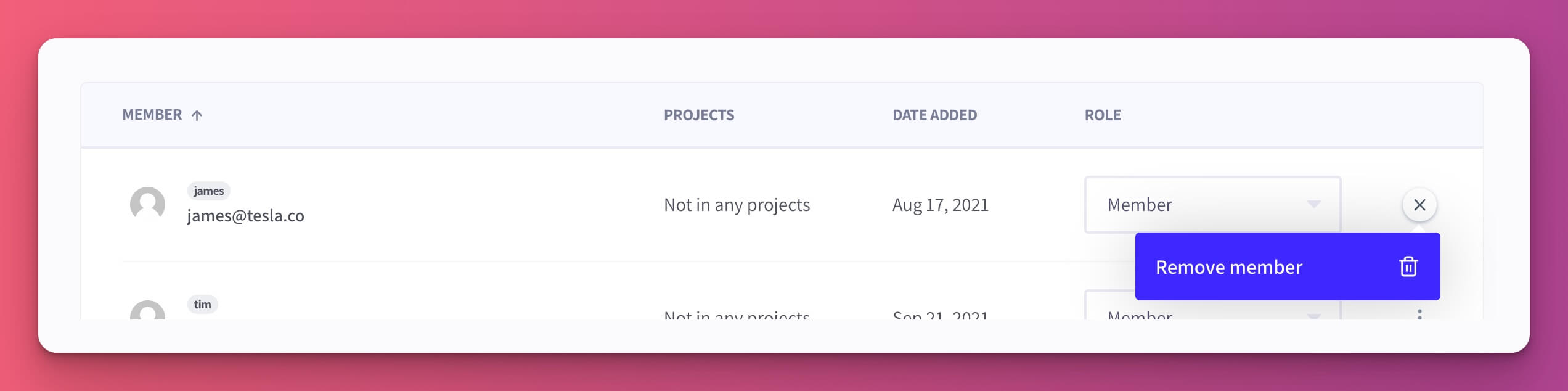
Find the individual member you would like to remove from the organization and hit **Remove member**.

<figure><img src="https://3578170569-files.gitbook.io/~/files/v0/b/gitbook-x-prod.appspot.com/o/spaces%2F-LL6HR00hwiJJav4pLph%2Fuploads%2Fl4BoxStImbSjAVP2Dkm5%2Fremove-member.jpg?alt=media&#x26;token=05a51f31-8041-473a-8ddd-9548bea0f06a" alt=""><figcaption></figcaption></figure>

### Permissions

You need to be an [owner](https://help.avion.io/docs/core-concepts/user-roles#owner) or above to remove members from the organization.